Vibe coding in Notes/Domino?
I do not like the term "vibe coding" but can you have AI help you code in Notes/Domino? Yes, you can...
The first challenge is that no AI agent understands the NSF format (the native Notes/Domino database). So we cannot "just" ask an AI agent to make changes to our databases....
When I first started looking at AI to help with my development in Notes/Domino I simply copied snippets of code to a chat window and combined that with whatever challenge I tried to solve - and then copied the suggested code back to the database. Not very efficient nor productive - but a way to get started. In the beginning I also found a lot of problems with the suggested LotusScript code from the AI bots - but Java has been good all the way (as long as you remember to mention your Java version).
So, is there a better way? Yes, there is!
First you have to set up source control for your database. What this will do is to export a text version of your database to a folder on your computer. The keyword here is "text" as all AI agents can read and change text. From Domino Designer version 14.5+ you have the choice to use either DXL (the "old" format) or YAML for your ODP. Long story short: Do NOT use YAML as it is not ready to use yet. I have tried it and reported several issues that are now being fixed but not yet available. The challenge with DXL is that it does not provide a 100% roundtrip. So use with care!
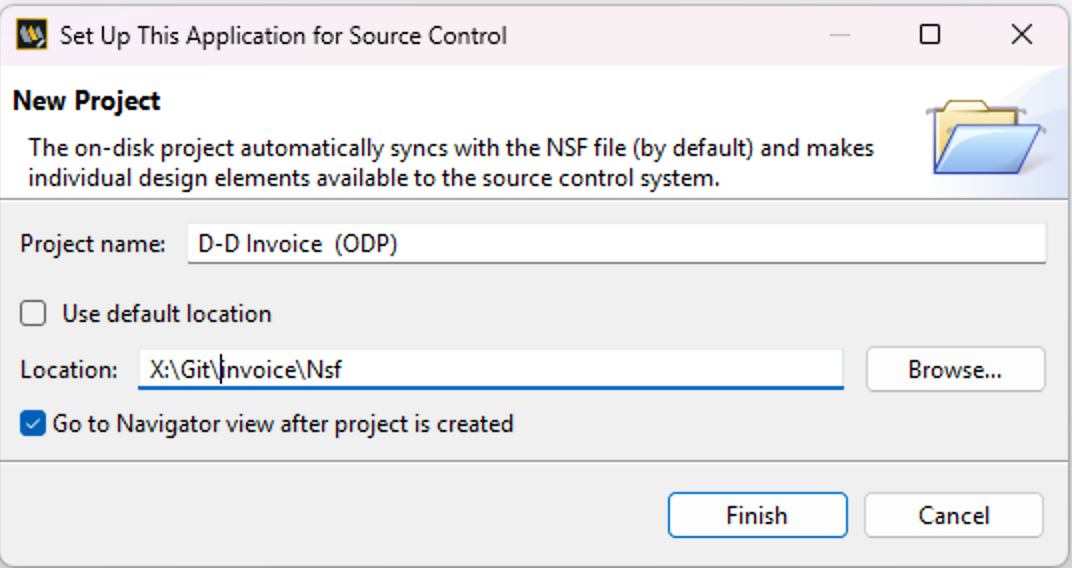
First you open the database in Domino Designer and right-click and select Team Development / Set up Source Control for this application

Then you fill in the dialog with the name of the "On disk project" - I normally always append "(ODP)" to the name of the Eclipse project. I also typically point at a different place then the "default location" - in this case on the host Mac where the Windows Domino Designer is running in Parallels.
One piece of advice: Always create a subfolder called "NSF" or whatever where your ODP is sitting. Then if you want to use Git to handle versioning of your design you will point it at the folder above "NSF". If you do not do this then you will add all the hidden Git folders and files to your NSF on next sync - and just trust me, you do not want that"
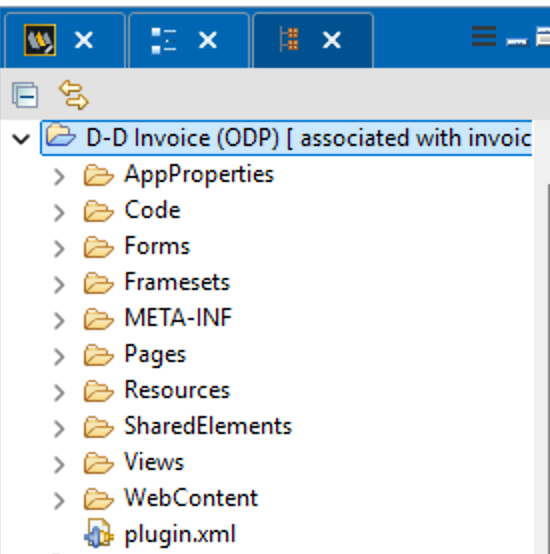
This will create the Eclipse project for the ODP that you can see in the Navigator view afterwards:
... and if you go back to the database navigator and right-click the database again you will see that it is connected to the ODP (and an action to sync):

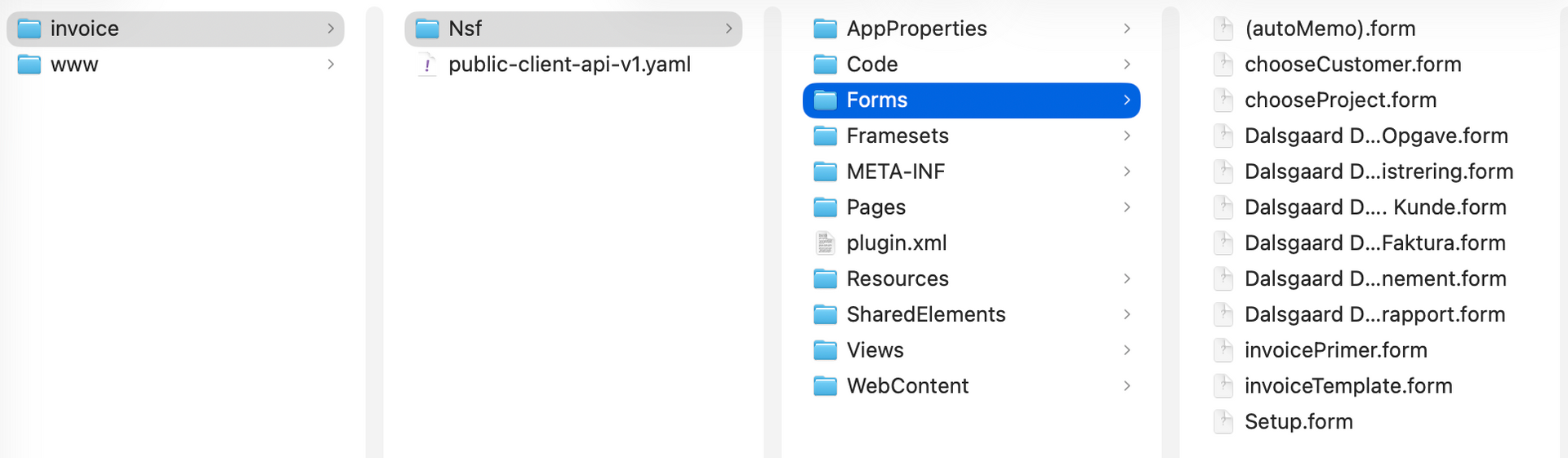
And finally, you can have a look at the folder where you created the ODP. Here you see it in Finder from my Mac:
Now you are ready to set up your AI agent to look at this folder. I use T3 Code (or Codex which has now been rebranded to "ChatGPT" - not the "classic" one) with ChatGPT - but any AI agent tool should be able to help you.
In T3 Code I set up a "project" where I point at the directory where the ODP is residing - or actually the directory above (in this case "invoice"). The reason I do this is that your bot friend can also use Git and thus commit or revert things for you. And in the case where your "application" consists of more than one database you would put the ODP of each of the databases under a separate folder under the main folder - and then your AI bot friend can now look "across" the different ODPs.
When you use this setup I normally always set the context for each project. You can simply ask your bot friend to always remember certain things when working with this project, e.g.
- Never make any changes to the code unless specifically asked to do that by you
- Ensure consistent line endings (CRLF, LF, etc.) with the existing code to keep your Git changes to the "real" changes
And now you are ready to ask your bot friend to analyse and potentially change code!
Whenever you do make a change to your code in the ODP you must sync. that change back to your NSF via the sync. action in Domino Designer to be able to test it. You must ensure that the project is built after the sync. but I find that it happens automatically in the versions I use (12.0.2 and 14.5.1) although I have "Built automatically" deselected.
You should also look at the Swiper project on OpenNTF.org (still relevant although not updated recently) that can help you filter out unnecessary changes to meta elements (time stamps!) - but this is really more important if you also use Git for source control - but you should!
Things that may not work:
I have now had quite a lot of experience with this way of working. I used it during a migration of a large XPages application going from Domino 12 (and below) to Domino 14.5.1FP1 where the biggest change is that you go from Java 8 to Java 21! This requires changes to your Java - and a bot friend is good at finding all the places and make sure that an identified requiered change is carried out in all the relevant places.
However, there have also been a couple of things to look out for:
- A new LotusScript agent: Some of the "internals" of an agent was not correct so the agent never came back to the NSF. Solution: Create the agent in the NSF (with no logic), sync. it out to the ODP and ask your bot friend to make the needed changes to the logic. Then you can sync. the changes back to the NSF.
- Agents are older design elements. Therefore, I recommend that you use a ScriptLibrary instead and just "use" that in your agent and call one line from the script library to run your code. You can see code in a script library in "human readable" format in your ODP. You cannot with an agent.
- My computer is a MacBook Pro M5 which uses an ARM processor. I then use Parallels with Windows 11 to run Domino Designer for development. I have versions from 8.5.3FP6 to 14.5.1FP1 running this way. Some issues in the Source control mechanism of especially 14.5.1 has given me problems in that it sometimes breaks the NSF. HCL Support has created a Software Problem Report (JALADVAL89) for this issue. If the NSF is damaged I have found only one way to come back to a working solution. I always code locally and therefore I have a replica on a server. Once the local NSF is damaged, I delete through Designer or Notes, then I create a new replica, setup source control again (Associate with an existing ODP...) - and cross my fingers... That fixes the issue most times. You may have to experiment with "importing from the ODP" or "export from the NSF to the ODP".
Blog